
Your first calculation
In this guide, you optimise the structure of a water molecule and compute its vibrational frequencies. Before you start, open the workbench in your browser (Getting started).
Make a project
Section titled “Make a project”- Click Projects in the left-hand list.
- Type a name, such as
First steps, and click Create the project.
The project page opens. The workbench saves every job in the project as files in the project’s folder.
Submit the job
Section titled “Submit the job”-
On the project page, click New job in this project.
-
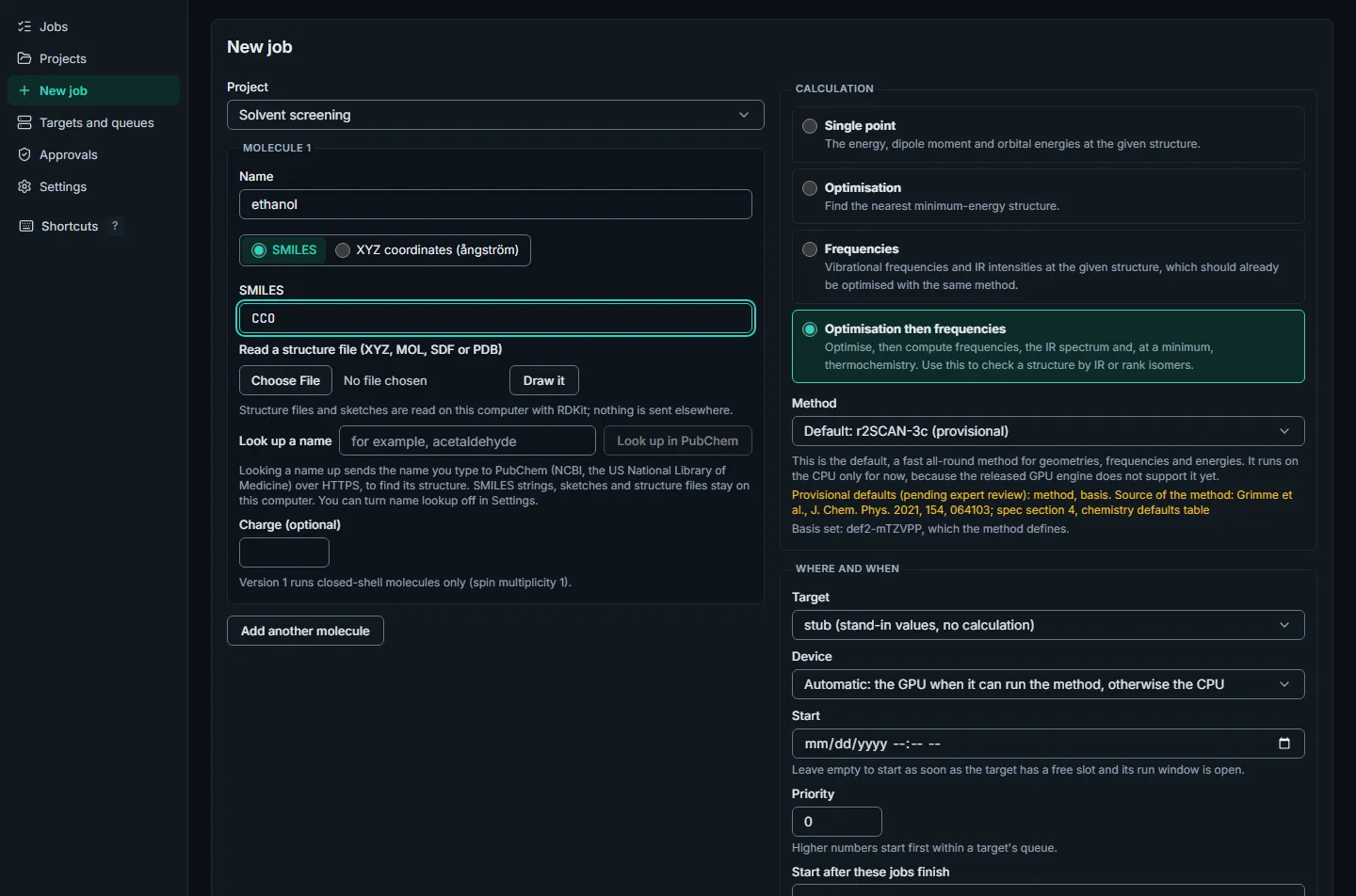
Type
waterin Name andOin SMILES.A SMILES string describes a molecule’s atoms and bonds in one line of text. The workbench uses RDKit to build a 3D structure from it on your computer. You can also read a structure file, look a name up in PubChem, or draw the molecule with Draw it.
-
Leave the task as Optimisation then frequencies.
-
Leave the method as r2SCAN-3c (provisional).
The form explains each method in plain language. A default marked provisional has not yet been reviewed by a chemist collaborator, and the form names the source of each default.
-
Under Where and when, choose the
localtarget, which is your own computer. Choose GPU if you have one, or CPU if you do not. -
Click Submit.
Follow it
Section titled “Follow it”The job page opens with a Queued badge, which changes to Running. While the job runs, a Progress box shows the current stage, the optimisation step, the energy, and the largest gradient beside the threshold at which the optimiser stops. The terminal running qcw start prints the same steps.
In a recorded run, this job took 3 min 22 s on the CPU (walkthrough 6 in the workbench repository’s docs/walkthroughs).
Read the result
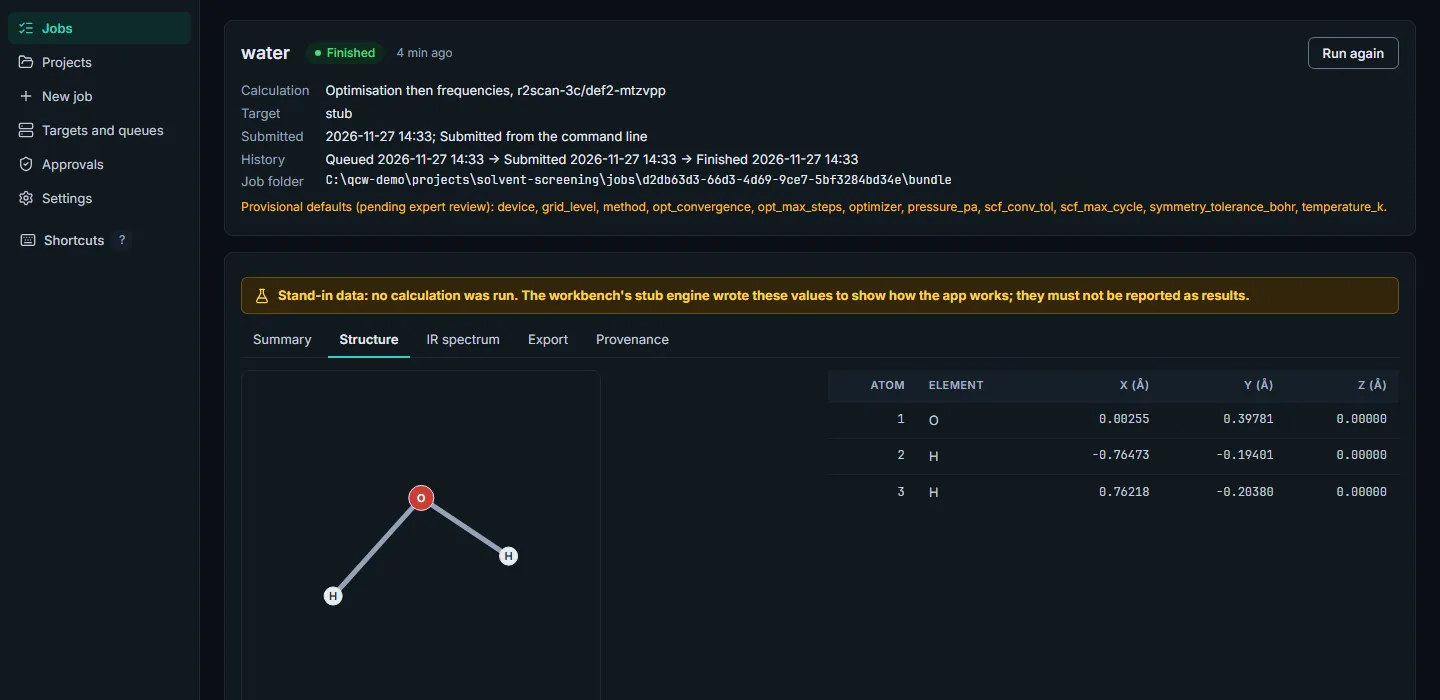
Section titled “Read the result”When the job finishes, the badge turns green and five tabs appear.
- Summary gives the energy, whether the structure is a minimum, the dipole moment, the HOMO and LUMO energies, and the thermochemistry. All values are for the gas phase.
- Structure shows the optimised geometry, which you can turn with the mouse or the arrow keys, and its coordinates.
- IR spectrum shows the predicted spectrum and its modes (Checking a structure by IR).
- Export holds the methods paragraph and the downloads (Writing up results).
- Provenance lists the engine versions, the container image, the device, and every setting the job used with its source.
If the summary shows a red NOT A MINIMUM box, the structure has imaginary frequencies, or the remaining gradient is above the thresholds. Optimise it again from a slightly distorted geometry before you use its frequencies or thermochemistry.
An open-source project on GitHub. Built by Graham Morley.